
AI Meeting Notes for Law Firms: Who Can Access Them?
 Published on October 23, 2026
Updated on October 23, 2026
 9 mins to read
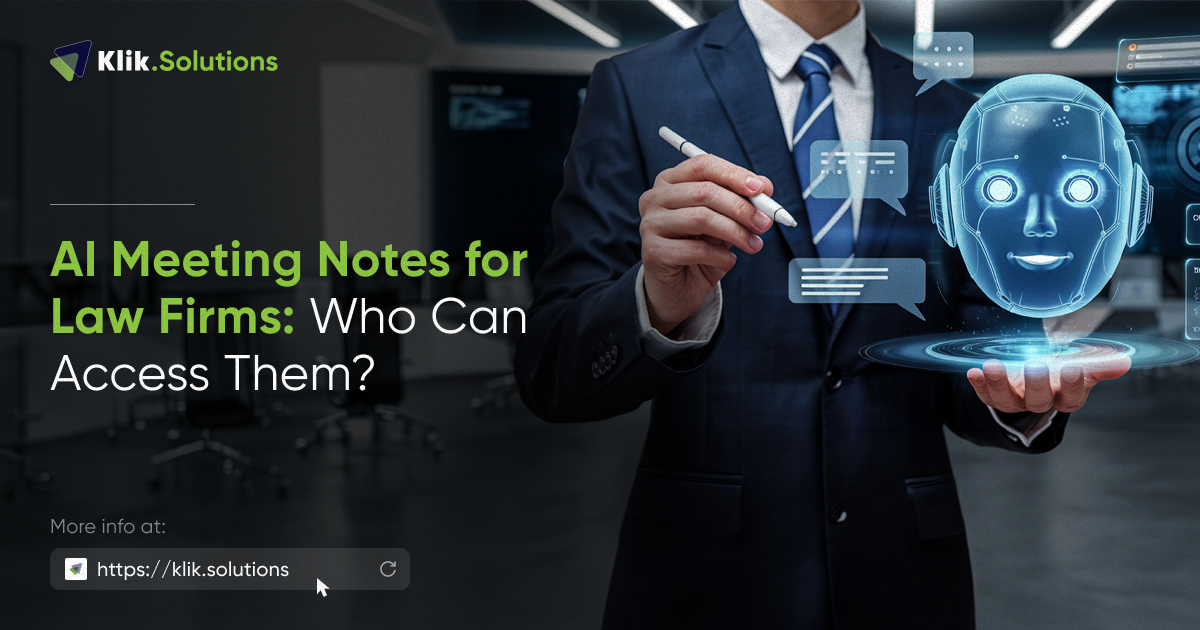
Dana, a litigation partner, wraps up a 30-minute strategy call with a client on a Tuesday afternoon. The AI notetaker did its job: a clean summary, three action items, a searchable transcript. Nobody had to type a word.
Ask Dana who can read that summary. She can’t say for sure, and neither can most attorneys.
The short answer: AI meeting notes for law firms can be reached by far more people than those on the call. Depending on the platform and its settings, that list can include invitees who never joined, colleagues with leftover folder permissions, AI assistants like Microsoft Copilot, the notetaker’s vendor, whoever hosted the call if it wasn’t your firm, and, later, opposing counsel through discovery.
This guide follows the records from Dana’s call, from the moment it ends to the day someone asks for them. It maps who can reach them, what the law says as of October 2026, and the settings your firm can check this week.
One Meeting, Three Records
When people say “the meeting notes,” they usually mean the summary. Dana’s call actually produced three records, and each one can live in a different place under different access rules.
The New York City Bar lays out this chain in Formal Opinion 2025-6: a voice recording, a speaker-labeled transcript, and the AI summary built from it.
- The recording captures audio or video of everything said, including the parts nobody would write down.
- The transcript is a word-for-word, speaker-attributed version. It keeps every offhand remark and every statement someone corrected a minute later.
- The summary is the short version, often with action items. It’s the record most likely to be emailed, filed, or forwarded.
Deleting the summary doesn’t delete the transcript. Restricting the recording doesn’t restrict the summary. Every access question below has to be asked three times.
Who Can Access AI Meeting Notes?
Access depends on the platform, the license, the admin settings, and who organized the meeting. This is the full list of people and systems that can end up with your firm’s meeting records, from the people on the call to people who arrive years later.
| Who | What they can reach | How they get access | Can your firm control it? |
| Attendees | Summary, often the transcript and recording | Platform defaults. In Teams, the access option defaults to everyone invited or holding the link | Yes, per meeting or by policy |
| Invitees who never joined | Summary, sometimes more | Auto-share settings tied to the invite list, such as Zoom’s “all meeting invitees” option | Yes, if admins lock it down |
| People outside the firm | Summary, sometimes links to the full transcript | Auto-share to external invitees, or Otter share links, where even viewers can export audio and text | Yes, with external-sharing limits |
| Colleagues not on the matter | Anything in a folder, channel, or mailbox they can open | Broad permissions on OneDrive, SharePoint, and Teams channels | Yes, with matter-level permissions |
| AI assistants such as Copilot | Anything the person asking can technically open | Permission inheritance, so stale access becomes searchable | Yes, after permissions are cleaned up |
| IT admins and your MSP | Storage, logs, and often content | Admin rights | Yes, through role-based access and audit logs |
| The notetaker’s vendor | Audio, transcript, summary | Terms of service, support access, subprocessors, possible model training | Partly, through contract and tool choice |
| The meeting host’s organization | Everything, stored in their tenant | Their platform, their settings, their retention | No |
| Opposing counsel, regulators, prosecutors | Whatever still exists | Discovery requests and subpoenas | Only through retention and recording decisions |
| Attackers | Whatever is stored and reachable | Compromised accounts or vendor breaches ([INTERNAL LINK: Klik cybersecurity services]) | Partly, through security controls |
Two rows deserve extra attention. Most firms miss the meeting-host row: when a client, co-counsel, or opposing counsel organizes the call, your firm’s settings don’t apply at all. The discovery row carries the highest stakes, because a record that exists can be requested.
Four Ways Confidential Notes Reach the Wrong People
None of these takes a hacker or a careless attorney. They happen because of default settings and permissions nobody revisited.
The Invitee Who Wasn’t There
A partner schedules a settlement strategy call and copies the client’s outside accountant on the invite. The accountant doesn’t join. The call runs on Teams with the recap access option left at its default, so the accountant can still open the AI recap, the transcript, and the recording afterward. Nobody intended that, and nobody noticed.
The Lateral Behind the Ethical Wall
A new associate is screened from three matters because of a conflict at their old firm. But they were added to a practice-group channel where meeting recaps get posted. When they ask Copilot to summarize the group’s recent work, it draws on everything they can technically reach, including a screened matter. The wall held in the document management system. It never extended to Teams. Zoom users face a similar gap: Zoom’s own documentation says its Information Barriers feature doesn’t currently restrict who a meeting summary is shared with.
The Bot Nobody Approved
A paralegal connects a free notetaker to their calendar to keep up with a heavy week. It now joins every meeting on that calendar, client calls included, and stores the audio on the vendor’s servers under consumer terms. That auto-join behavior is at the center of the consolidated Otter.ai privacy litigation in federal court in California. And Microsoft notes that third-party apps aren’t restricted by the Teams recording-access setting.
The Call You Didn’t Host
Opposing counsel sends the invite for a meet-and-confer. Their platform transcribes it. That transcript now sits in their environment, under their retention rules, searchable by their AI tools. Your firm has no say in who sees it.
Do AI Meeting Notes Put Privilege at Risk?
They can, and the law is still settling. Here’s where it stands as of October 2026. We’re a managed service partner, not a law firm, so treat this as background for a conversation with your firm’s ethics counsel.
Confidentiality and Privilege Are Different Tests
Confidentiality under ABA Model Rule 1.6 is a duty: lawyers must make reasonable efforts to prevent unauthorized access to client information. Privilege is an evidentiary protection that can be lost if a communication isn’t kept confidential. An AI notetaker touches both, and a confidentiality breach can happen even when privilege survives.
What the ABA and NYC Bar Expect
ABA Formal Opinion 512 (July 2024) says lawyers using generative AI must understand the tools well enough to use them competently, protect client information, and supervise staff who use them. That includes knowing how a vendor stores, retains, and uses data.
The NYC Bar’s Formal Opinion 2025-6 (December 2025) goes further for meeting tools. It advises getting client consent before AI recording, weighing whether recording is tactically wise, and checking transcripts and summaries for accuracy if anyone might rely on them later. It also covers the client’s side: lawyers who know a client records calls should explain the risks.
Heppner Is Narrower Than the Headlines
In United States v. Heppner (S.D.N.Y., February 2026), Judge Rakoff held that documents a defendant created with a public AI chatbot weren’t privileged. The client acted on his own, without his lawyers’ direction, using a consumer tool whose terms allowed disclosure. It wasn’t a notetaker case. But its logic carries over: courts will ask who had access to a record and whether it was actually kept confidential. Courts in Michigan and Colorado have reached different results on AI-generated material, so expect more rulings.
Consent and Voiceprint Laws
Several states, including California, require every party’s consent to record. The NYC Bar opinion also points to biometric laws in Illinois, Texas, Colorado, Maryland, Oregon, and Washington that cover voiceprints, which speaker identification relies on. A call with participants in several states can trigger the strictest rule among them.
Where AI Meeting Notes Are Stored, and for How Long
Back to Dana. Eighteen months after that Tuesday call, the matter is in litigation, and opposing counsel’s document requests include “all recordings, transcripts, and summaries of meetings concerning the project.” The question is no longer who can read the summary. It’s how many copies exist.
Storage varies by platform. In Teams, recordings and transcripts typically land in the meeting organizer’s OneDrive, so access follows that one person’s account. Zoom AI summaries follow the account’s retention settings, and Zoom states they remain subject to legal hold even if a host deletes them. Third-party notetakers keep everything on their own servers, under their own terms.
Then the copies multiply. The summary was emailed to the client. An associate pasted it into the matter file. Someone exported the transcript to a PDF and attached it to a task. Deleting the original does nothing to touch any of those duplications.
That’s why discovery is the long-tail risk. Blank Rome has warned that notetaking apps create large sets of discoverable business records. A verbatim transcript makes a very different exhibit from an attorney’s handwritten notes, because it keeps the joke, the half-formed theory, and the statement someone walked back. Once litigation is reasonably anticipated, a legal hold can also require you to preserve records you’d otherwise delete.
Departures widen the gap. If the associate who joined Dana’s call has since left, their OneDrive, personal notetaker account, and calendar integrations may still hold client meeting records. Offboarding that ignores those leaves the firm unsure what it has.
The practical rule: decide how long each of the three records should exist before the meeting, not after the document request.

Can Your Firm Control Who Sees AI Meeting Notes?
For meetings your firm hosts, mostly yes. The controls exist, but many are off, set to permissive defaults, or tied to a license the firm doesn’t have. Microsoft’s per-meeting recording-access option, for example, requires a Copilot or Teams Premium license.
These eight settings close most of the gaps above:
- Approve tools before anyone connects them. Block unapproved notetaker apps at the tenant level and turn off calendar auto-join. If a bot can join a meeting without anyone choosing it, the firm hasn’t made a decision.
- Change the sharing defaults. Set recap and transcript access to organizers or named people, and set auto-share to the host only, so attorneys review a summary before it goes anywhere.
- Block automatic external distribution. Stop summaries from emailing outside the firm, and send sign-in links rather than the full text.
- Fix permissions before turning on Copilot ([INTERNAL LINK: Klik Microsoft 365 or Copilot readiness service]). Copilot surfaces what users can already reach, so clean up matter sites and channels, apply sensitivity labels, and extend ethical walls into Teams and SharePoint. Am Law 100 firm Nelson Mullins, for example, uses Intapp Walls to enforce matter permissions across the data Copilot searches.
- Read the vendor terms for training, support access, and subprocessors. Prefer enterprise agreements that rule out model training and give the firm control of deletion.
- Set retention by record type. A recording may need days; a summary filed to the matter may need the matter’s full retention period.
- Include meeting AI in offboarding, so a departing attorney’s recordings, transcripts, and third-party accounts are reassigned or preserved.
- Turn on audit logs. You can’t verify access if nothing records it.
Settings drift. A Microsoft or Zoom update can add a new AI feature with its own defaults, so someone should check these quarterly.
The Limit: Meetings You Don’t Host
None of these controls apply when a client, co-counsel, or opposing counsel organizes the call. For those meetings, your only controls are questions. Who’s hosting? Is anything being recorded or summarized? If the answer is unclear and the conversation is privileged, ask for the recording to be turned off, or move that part of the discussion to a call your firm hosts.
What Attorneys Should Check Before Using AI Meeting Notes
Attorneys and paralegals don’t need to understand OneDrive permissions. They need a short habit before the meeting starts:
- Is this notetaker on the firm’s approved list?
- Who’s hosting, and is anyone else recording?
- Has the client agreed to AI recording, and is anyone on the call in an all-party-consent state?
- Who will receive the summary automatically?
- Where will the recording, transcript, and summary be saved?
- Will I review the summary for accuracy before it’s shared or filed?
- Should this conversation be recorded at all?
Run Dana’s call through that list, and three things change. The summary goes to her alone for review. The records save to the matter, not her personal OneDrive. She might even decide the settlement-number portion of the call didn’t need a transcript in the first place.
That last decision is the one that matters most, and a three-tier rule keeps it quick:
| Meeting type | Examples | AI notes? |
| Internal operations | Staffing, billing, IT, firm admin | Yes, with approved tools |
| Client matters | Strategy, privileged advice, case assessment | Only with client consent and a firm-controlled tool with restricted access. Otherwise, human notes |
| Outside parties present | Opposing counsel, mediators, experts, other firms | Generally no. Ask whether the host is recording |
A Better Way to Manage AI Meeting Notes at Your Firm
AI notetakers save attorneys real time, and banning them usually just pushes people toward tools nobody approved. The firms that handle this well decide centrally which tools run, how they’re configured, and who checks them.
That’s the work Klik Solutions does with law firms. As your managed service partner, we find which meeting tools are already connected to your environment, set sharing and retention defaults that match your policies, clean up the permissions Copilot depends on, and recheck those settings after every major platform update. Your ethics counsel sets the rules. We make sure the technology follows them.
Dana can keep her notetaker. With the right defaults behind it, she’ll also know exactly who can read what it writes. Klik can help you secure your firm’s access to mee
ting notes. Reach out for your consultation today.
Frequently Asked Questions
Can people who didn’t attend a meeting access the AI notes?
Often, yes. Microsoft Teams sets recap and transcript access to everyone invited or holding the link by default. Zoom and Otter can share summaries automatically with invitees, including people outside the firm. What non-attendees can see depends on the organizer’s settings and the firm’s admin policies.
Are AI-generated meeting notes protected by attorney-client privilege?
They can be, but not automatically. Privilege depends on the communication staying confidential. If a vendor can access the content under its terms, or the notes circulate too widely, opposing counsel may argue waiver. No court has squarely ruled on meeting notetakers yet.
Can a law firm stop AI meeting summaries from being shared automatically?
Yes, for meetings the firm hosts. Admins can limit auto-share to the host, block external recipients, and require sign-in to view summaries. Some Teams controls need a Copilot or Teams Premium license. When another organization hosts the meeting, its settings apply instead.
How long are AI meeting transcripts and summaries kept?
It depends on the platform and the firm’s retention settings. Teams stores recordings and transcripts in the organizer’s OneDrive. Zoom summaries follow account settings and stay subject to legal hold. Copies sent by email or saved to matter files persist separately and need their own retention rules.
Should attorneys use AI notetakers in confidential client meetings?
Only with safeguards. NYC Bar Formal Opinion 2025-6 points to client consent, a firm-approved tool with restricted access, and an accuracy review of every output. For sensitive strategy discussions, or calls with outside parties present, many firms still choose human notes.