
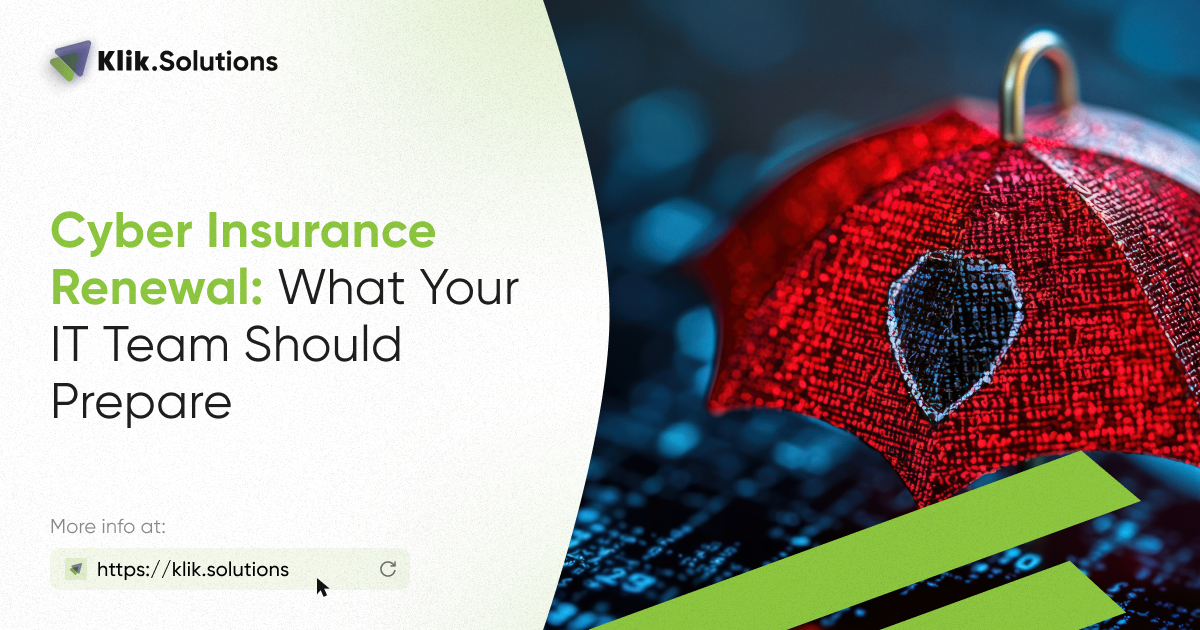
Cyber Insurance Renewal: What Your IT Team Should Prepare
 Published on October 13, 2026
Updated on October 13, 2026
 7 mins to read
Cyber insurance renewal can look like an exercise on paper until someone asks your IT team to confirm that every administrator account uses multi-factor authentication, backups can be restored, and the business has a tested incident response plan.
Suddenly, the renewal questionnaire becomes a much bigger task. Someone needs to check the actual configuration of your systems, collect reports from different platforms, follow up with external IT providers, and establish whether the answers reflect how the business operates today.
Preparing for renewal is an opportunity to address security gaps before they become urgent. Although requirements vary by insurer and policy, your IT team should be ready to explain what security measures are in place, provide supporting evidence, and identify anything that still needs attention.
1. Start with the Actual Insurance Questionnaire
Before reviewing every security tool in your environment, get the latest renewal questionnaire and relevant policy documents from your broker. This gives your IT team a clear starting point.
Depending on the policy, questions may cover multi-factor authentication (MFA), endpoint protection, backups, vulnerability management, privileged access, incident response, and other security practices. However, do not assume that every insurer uses the same questions or defines each control in the same way.
Turn the questionnaire into a working checklist. For each question, identify who can verify the answer, what evidence is available, and whether further investigation is needed.
What to prepare: The current questionnaire, the relevant policy documents, a list of requested information, and a named owner for each response.
2. Verify MFA and Administrative Access
MFA and access controls deserve early attention because they affect how people enter your environment and what they can do once inside.
Start by checking whether MFA is enforced on the accounts and systems covered by the questionnaire, paying particular attention to email, remote access, privileged accounts, and critical business applications.
Next, review who has administrative privileges. Employees, contractors, and external IT providers may accumulate access over time, leaving some accounts with more permissions than their current responsibilities require.
Check for exceptions, inactive accounts, shared administrator credentials, and systems that do not support your standard authentication policies. Document what you find rather than assuming that a company-wide policy guarantees complete coverage.
What to prepare: MFA coverage information, authentication policies, a current privileged-account list, and documented exceptions with plans to address them.

3. Confirm That Endpoint Protection Is Working
Having an endpoint security product does not automatically mean every relevant device is protected.
Your team should compare the inventory of company laptops, workstations, and servers with the devices reporting to your endpoint protection platform. Look for missing agents, devices that have stopped checking in, outdated software, and alerts that require investigation.
Also clarify what type of protection your business uses. Antivirus, endpoint detection and response (EDR), and managed detection and response (MDR) offer different capabilities or services, so your answers should reflect what is actually in place.
If an external provider manages endpoint security, establish who reviews alerts, how incidents are escalated, and whether monitoring continues outside business hours.
What to prepare: A current device inventory, endpoint coverage reports, monitoring arrangements, and a list of unresolved security issues.
4. Test Your Backup and Recovery Process
Backups are one of the most important areas to review before renewal, particularly when ransomware could interrupt business operations.
However, the existence of backups does not prove that the business can recover. Your team needs to know what is backed up, where the copies are stored, who can access them, and whether they could be affected by a compromise of the production environment.
CISA recommends maintaining offline, encrypted backups of critical data and regularly testing their availability and integrity. Its #StopRansomware Guide explains why protected backups and tested recovery procedures are important.
Review the results of your most recent restoration tests. Confirm which systems were restored, whether the data was usable, how long recovery took, and whether the process met business requirements.
If your last test involved restoring a few files, do not present that as proof that your entire business can recover from a major incident. Be specific about what was tested and what remains unverified.
What to prepare: Backup coverage and architecture, details of offline or immutable copies where applicable, recent restoration test results, and recovery procedures for critical systems.
5. Review Patch Management and Vulnerability Remediation
A renewal review is also a useful opportunity to check whether your organization is managing vulnerabilities consistently.
Start with systems that could expose the business to significant risk, including internet-facing services, remote access infrastructure, operating systems, and unsupported software.
Your IT team should understand how vulnerabilities are identified, prioritized, and resolved. It should also be able to explain why certain issues remain open and what is being done to reduce the risk while remediation is pending.
A patching policy alone does not demonstrate that updates are being applied. Review recent reports, identify overdue updates, and check whether exceptions have been documented and approved.
Some systems require additional testing before an update can be deployed, so not every missing update represents the same level of risk. The important thing is to understand the issue, assess its impact, and establish a clear plan.
What to prepare: Patch management procedures, recent vulnerability reports, a list of significant unresolved issues, and remediation plans with responsible owners.

6. Make Sure Your Incident Response Plan Is Current
If a cyber incident happens tomorrow, will your team know whom to contact, which systems to isolate, and who is authorized to make key decisions? An incident response plan should answer those questions without requiring employees to work out the process during a crisis.
Review the plan for outdated contact details, changed responsibilities, new systems, and missing escalation procedures. Confirm how your organization will communicate if corporate email or collaboration tools are compromised.
Your plan should also address when to contact external incident response specialists, legal counsel, your broker, and the insurer. Follow the notification and consent requirements in your actual policy rather than relying on assumptions about how cyber insurance works.
If the plan has not been tested recently, run a tabletop exercise.
What to prepare: The current response plan, an updated contact list, relevant incident communication procedures, and records of recent exercises or planned improvements.
7. Build an Evidence Folder Before You Submit
Once the key controls have been reviewed, organize the supporting information in one place.
This saves time when several people or external providers need to contribute to the questionnaire and makes it easier to identify unanswered questions before the submission deadline.
Depending on the insurer’s requirements, your evidence folder might include:
- MFA policies and coverage reports.
- Endpoint protection and monitoring reports.
- Backup documentation and restoration test results.
- Patch management and vulnerability reports.
- Privileged-account inventories and access reviews.
- Incident response plans and exercise records.
- Relevant security policies and training records.
Assign an owner to each document and record when it was last reviewed. Keep sensitive information secure, and share it only through appropriate channels.
What to prepare: A central evidence folder, current supporting documents, named owners, and a list of outstanding questions.
8. Address Gaps With Your IT Provider and Broker
A review may uncover gaps that cannot be fixed immediately. For example, MFA may not be enforced on one legacy system, or your team may discover that backup restoration has not been tested recently.
The next step is to assess the gap, determine its priority, and agree on an action plan.
Your IT provider can help identify technical solutions and estimate the work involved. Your broker can clarify how the insurer interprets a question, whether additional information is required, and how a particular issue may affect the renewal process.
Do not describe a planned control as already implemented or assume that a small exception is irrelevant. Inaccurate answers can create problems later, particularly if a claim leads to questions about the information supplied during underwriting. The consequences depend on the policy wording and applicable law.
Review the policy itself as well as the questionnaire, paying attention to coverage limits, exclusions, deductibles, notification requirements, and conditions relating to security controls.
A Practical Cyber Insurance Renewal Checklist
Before the questionnaire is submitted, make sure your team has:
- Reviewed the insurer’s current questions and relevant policy conditions.
- Verified MFA coverage and administrative access.
- Checked endpoint protection coverage and monitoring.
- Confirmed backup protection and reviewed restoration test results.
- Reviewed patch management and unresolved vulnerabilities.
- Updated the incident response plan and emergency contacts.
- Collected evidence for the controls described in the questionnaire.
- Documented gaps, assigned owners, and agreed on next steps with the relevant stakeholders.
Use this as a starting point, not a universal list of insurance requirements. The actual questionnaire and policy determine what applies to your business.

Preparing for cyber insurance renewal takes more than completing a form. Your business needs to understand its technology environment, verify important security controls, and know where improvements are needed.
Klik Solutions helps businesses manage their IT environments and strengthen their security through services that can include infrastructure management, security monitoring, access management, backup and recovery planning, and ongoing IT support.
We can help review your current environment, identify technical gaps, and organize the information your team needs for a more informed renewal process.
Have a cyber insurance renewal coming up? Contact Klik Solutions to discuss your IT security readiness before the questionnaire lands on your desk.
Frequently Asked Questions
When should an IT team start preparing for cyber insurance renewal?
Start as soon as the renewal date and insurer’s requirements are known. Starting several weeks or months ahead, when possible, gives your team time to review controls, collect evidence, and address gaps before the submission deadline.
What security controls do cyber insurers typically ask about?
Depending on the insurer and policy, questions may cover multi-factor authentication, endpoint protection, backups, patch management, privileged access, and incident response. Always use the actual questionnaire to determine which controls apply to your business.
What if our business does not meet one of the insurer’s requirements?
Identify the gap, assess its risk, and work with your IT provider to determine whether it can be resolved before renewal. Discuss material issues with your broker and answer the questionnaire accurately rather than presenting planned improvements as completed controls.
Does cyber insurance protect a business from ransomware?
Cyber insurance may cover certain losses or response costs, subject to the policy’s terms, exclusions, limits, and conditions. It does not prevent ransomware or guarantee data recovery, so effective security controls, protected backups, and tested recovery procedures remain essential.