IT Housekeeping Isn’t Sexy — But Here’s Why It’ll Save Your Business in 2026
 Published on November 26, 2025
Updated on February 26, 2026
 7 mins to read
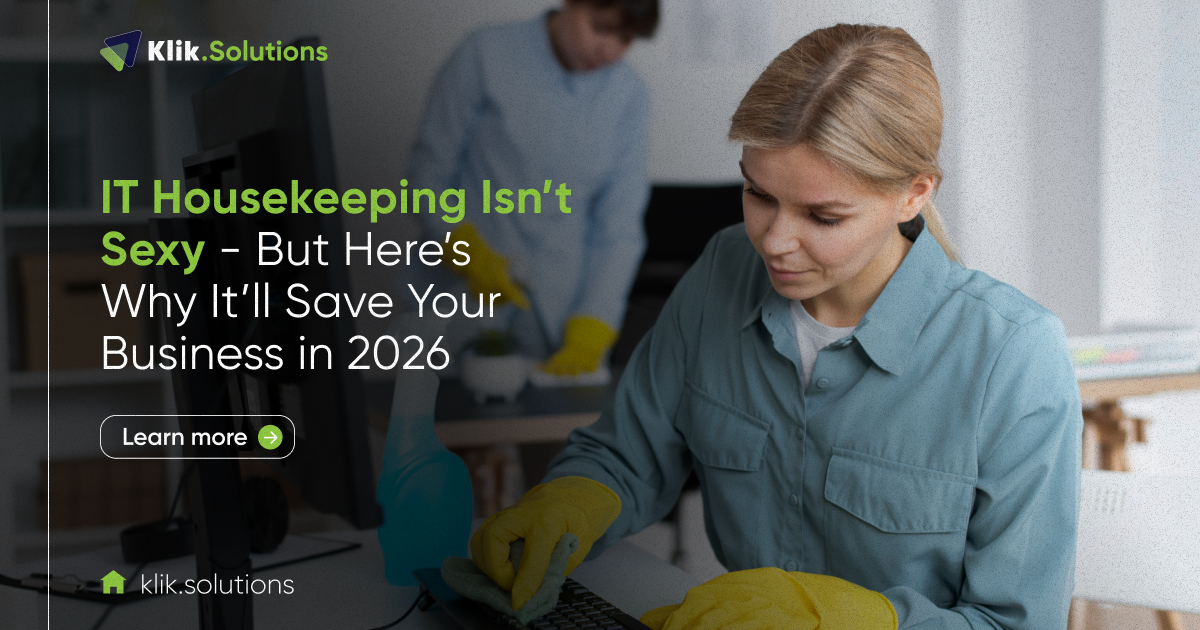
It’s the most boring item on your business to-do list. It doesn’t generate new sales. It doesn’t launch a revolutionary product. It certainly won’t land you on the cover of a trade magazine.
We’re talking about IT housekeeping.
This isn’t the glamorous side of business technology. It’s the routine, tedious, and often-delayed maintenance of your digital world: patching, auditing, cleaning up old accounts, and organizing storage.
Many small and mid-sized business (SMB) owners treat IT maintenance as a non-urgent chore, like cleaning out the office fridge—you’ll get to it when it starts to smell.
However, in the face of escalating cyber threats, complex compliance requirements, and the accelerating pace of digital business, a reactive approach to your IT systems is a ticking time bomb.
The truth is simple: consistent IT housekeeping is the single most effective way to prevent catastrophic security breaches, crippling downtime, and profit-draining inefficiency.
As we look toward 2026, the need to move from reactive maintenance to proactive, strategic system hygiene is more critical than ever. Klik understands the reluctance, but we also know the payoff. So, turn this “not-so-sexy” necessity into an automated, strategic advantage that saves you time, money, and your reputation.
The Unspoken Truth: IT Hygiene Is the Real Hero of Business Stability
Think of your IT infrastructure as a massive, complex machine powering your entire organization. Like any machine, it requires regular lubrication, checks, and cleaning to run at peak performance. When it’s running, you barely notice it—and that’s the sign of a job well done.
Why Routine Cleanup Prevents Big Problems
Routine IT cleanup isn’t just about speed; it’s about prevention.
- Proactive Defense: The vast majority of security breaches exploit known vulnerabilities in unpatched software. Routine patching closes these back doors before cybercriminals can walk through them.
- Cost Control: A managed IT audit uncovers zombie subscriptions, unused licenses, and inefficient cloud storage configurations, directly reducing your operational costs.
- Predictable Performance: Cleaning up disk space, optimizing network configurations, and retiring outdated hardware removes friction from your employees’ day-to-day work, boosting overall productivity.

How Neglected Systems Cause Financial and Operational Risks
When you delay IT housekeeping, you aren’t saving time—you’re accruing risk. This neglect translates directly into financial and operational damage:
- Security Gaps: Unmanaged user accounts (for former employees, contractors, etc.) are a goldmine for attackers, creating an easy vector into your core data.
- Compliance Penalties: Failure to document and enforce up-to-date access controls and data retention policies can lead to severe fines under regulations like HIPAA, GDPR, or state-specific data privacy laws.
- Performance Drag: Systems become slow, prone to crashing, and unreliable. This constant friction makes employees less productive and damages customer experience.
What Happens When You Skip IT Housekeeping
The consequences of neglecting your digital environment are rarely subtle. They often manifest as major crises that derail your operations and consume massive resources.
Real Consequences: Data Loss, Compliance Issues, Downtime
- Crippling Downtime: A system that hasn’t been audited might have an overloaded server, a failing drive, or an outdated component that finally gives out, bringing your entire operation to a standstill. Every minute of downtime costs money in lost revenue, employee wages, and recovery efforts.
- Security and Data Breaches: An unpatched server or a forgotten privileged account is often the entry point for ransomware. The average cost of a data breach for a mid-market company is now in the millions, not including the irreparable damage to customer trust.
- Non-Compliance Fines: An incomplete IT audit means you can’t prove who has access to sensitive data, leading to instant failure during a compliance review and potentially massive fines.
The Hidden Cost of Outdated Software and Unused Tools
Beyond the major disasters, there’s a slow, constant bleed caused by inefficiency.
- License Waste: Are you still paying for twenty software licenses when you only have fifteen active employees? Do you have expensive cloud storage buckets that haven’t been touched in years? These forgotten line items add up to hundreds or thousands of wasted dollars annually.
- Incompatibility Issues: Running older versions of key software leads to frustrating compatibility problems with newer applications, slowing down projects and creating support nightmares.
- Technical Debt: Every shortcut, unpatched system, and piece of old hardware adds to your technical debt, making future upgrades and scaling efforts exponentially more complex and expensive.

The Core Components of IT Housekeeping
So, what exactly does effective IT housekeeping entail? It’s a systematic, multi-layered approach that covers every part of your digital environment.
- Regular Software Updates and Patching: This is the non-negotiable foundation. All operating systems, applications, and firmware must be updated immediately upon the release of security patches.
- Reviewing User Access and Permissions (Least Privilege): Conduct quarterly audits to ensure employees only have access to the data and systems absolutely necessary for their job roles. Immediately deactivate accounts for departed staff.
- Cleaning Up Cloud and Local Storage: Purge old, unnecessary, or redundant files. Implement a clear data retention policy and identify and decommission inactive cloud resources (like virtual machines or databases).
- Network and Device Performance Optimization: Check network logs for suspicious activity, monitor device health (CPU, RAM, drive space), and retire or upgrade devices that are nearing their end-of-life cycle.
- Data Backup Verification and Disaster Recovery Checks: A backup is useless if it doesn’t work. Regularly test your backups by performing a full restoration and run through your disaster recovery plan to ensure your business can be operational within an agreed-upon timeframe.
How Often Should IT Housekeeping Be Done?
While the term “cleanup” might imply a one-time event, modern IT maintenance requires continuous attention.
Quarterly vs. Continuous Monitoring
- Continuous Monitoring (The Klik Way): The most critical tasks, like security patching, malware monitoring, and network health checks, must be continuous and automated. Our managed IT services provide 24/7/365 oversight, addressing issues often before you even notice them.
- Quarterly Audits: Tasks like reviewing user permissions, analyzing system logs for unusual behavior, and testing your disaster recovery plan should be completed thoroughly every three months.
- End-of-Year Cleanup as a Strategic Routine: The close of the year is the perfect time for a high-level strategic cleanup. This is when you perform a full-scale IT infrastructure audit, assess your tech budget for the following year, and develop a hardware refresh strategy.
How Klik Automates Recurring Tasks for Clients
The reason SMBs delay housekeeping is simple: they lack the time and dedicated staff. Klik Solutions solves this by integrating vital maintenance into our managed services platform.
We use sophisticated tools to automate patching, monitor device health, flag inactive user accounts, and track software licenses. This transforms a tedious manual chore into a seamless background function, ensuring your systems are always secure and optimized without demanding your daily attention.
Why 2026 Will Demand Better IT Hygiene Than Ever
The digital landscape is changing so rapidly that the maintenance standards of 2024 will be inadequate for 2026.
- Growing Cyber Threats and Regulatory Expectations: Cyber threats are becoming more sophisticated, frequently leveraging AI to craft highly convincing phishing attacks and rapidly exploit known vulnerabilities. Simultaneously, regulatory bodies are increasing enforcement and expanding compliance requirements, making demonstrable security hygiene non-negotiable.
- AI and Automation Creating New Vulnerabilities: As more businesses integrate AI and automated tools, they introduce new software dependencies and potential integration points that must be secured and regularly reviewed. A breach in one automated tool can cascade through your entire system.
- The Business Case for Proactive System Health Management: In a competitive environment, stability is a competitive advantage. Businesses with well-maintained IT infrastructures can scale faster, pivot more easily, and deliver superior reliability to their customers. In 2026, operational resilience will be a key differentiator.
Klik’s Approach: Turning Maintenance into Momentum
Klik Solutions doesn’t just check boxes; we treat IT housekeeping as a strategic opportunity to maximize your investment in technology.
- Continuous Monitoring, Automated Alerts, and Audits: Our proactive managed IT services provide 24/7 monitoring. We generate automated alerts that allow our engineers to address issues like failing hard drives, overloaded processors, or suspicious access attempts instantly.
- Cross-Department Collaboration for Seamless Cleanup: Collaboration with your internal teams (HR, Finance, Operations) ensures our housekeeping is integrated smoothly into your workflows. When an employee leaves, we don’t just disable their email. We coordinate with HR to archive necessary data and ensure all licenses are repurposed or canceled.
- How Klik’s Managed IT Team Keeps Systems Ready for Growth: By systematically optimizing your network, cleaning out technical debt, and ensuring all components are up-to-date, we guarantee your infrastructure has the stability and headroom required to support your next big business initiative, whether that’s launching a new application or expanding your team.
Your 2026 Digital Housekeeping Checklist
To help you start the new year on a foundation of stability, focus on these top priorities:
- Software License Audit: Reconcile all paid software licenses against active user accounts. Cancel any unused subscriptions.
- User Access Review: Print a report of all users with administrative or high-level access. Confirm that every single person on that list still requires that level of access.
- Cloud Storage Purge: Review your largest cloud storage buckets/folders. Identify and delete all data that has exceeded its required retention period.
- Hardware Inventory: Identify any device (server, firewall, workstation) that is older than five years. Plan its replacement budget for the next 12-18 months.
- Test Restore: Run a full test of your disaster recovery plan, confirming you can restore data and operations in a timely manner.
IT housekeeping isn’t sexy, but it is the bedrock of your business’s future success. Stop waiting for the moment your systems “start to smell” and take control of your digital environment now. Don’t wait for chaos — schedule your IT housekeeping audit with Klik before 2026!
FAQ
What exactly does IT housekeeping include?
IT housekeeping is a broad term that includes all routine tasks necessary to maintain the health, security, and efficiency of your IT infrastructure. Core tasks include managing software patches and updates, reviewing and deactivating old user accounts, auditing system access permissions, cleaning up data storage (local and cloud), and regularly testing data backups and disaster recovery plans.
How often should a small business perform IT cleanup?
Critical security and performance tasks (like patching and monitoring) should be performed continuously and automatically. Comprehensive tasks, such as reviewing user access, auditing licenses, and testing backups, should be performed at least quarterly. A full strategic IT infrastructure review should be an annual event, ideally at the end of the fiscal year.
Can I automate IT housekeeping tasks?
Yes, and you absolutely should. Tasks like software patching, security monitoring, and log analysis can—and must—be automated using professional tools. Automation reduces human error, ensures continuity, and guarantees that critical systems are always up to date, which is a key component of the managed IT services Klik Solutions provides.
How does Klik help simplify IT maintenance for SMBs?
Klik Solutions simplifies IT maintenance by providing proactive, managed IT services. We use professional tools to automate continuous monitoring and patching, conduct quarterly audits, and manage your entire IT lifecycle. Essentially, we take over the “boring but vital” work, ensuring your systems are secure, efficient, and compliant, allowing you to focus on growing your business without worrying about the underlying tech.