How to Make Tech Feel Less Overwhelming in 2026: A Guide for Busy Business Owners
 Published on February 3, 2026
Updated on February 26, 2026
 6 mins to read
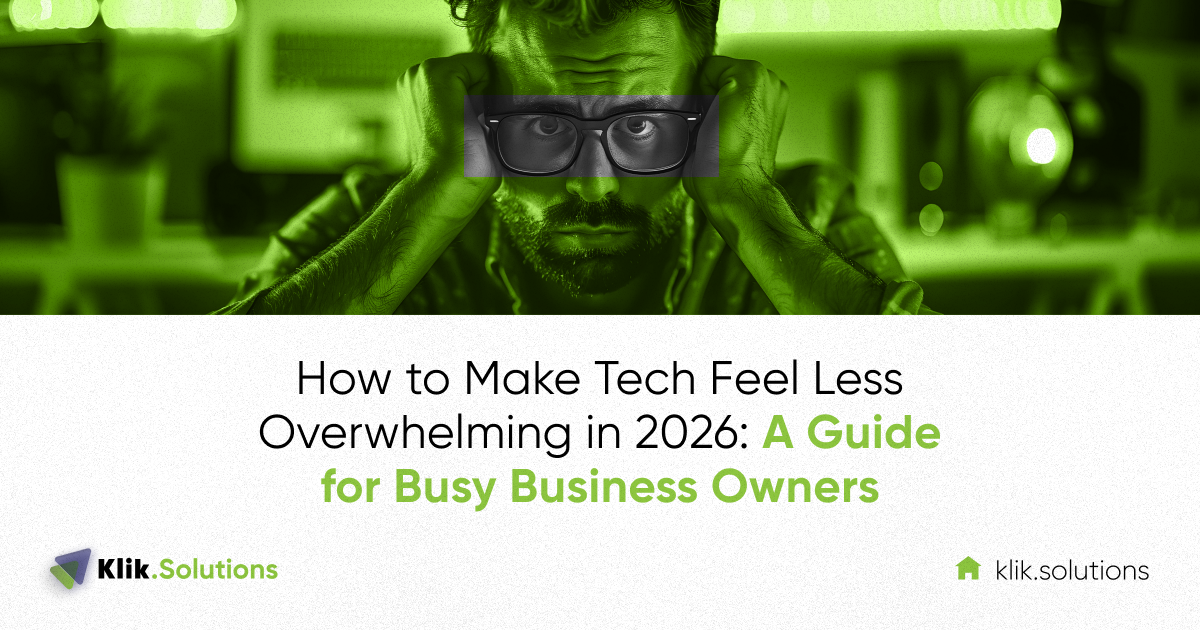
It’s 8:00 AM. You open your laptop, and before you can even take a sip of coffee, you’re met with a barrage of notifications. Your project management tool has twelve updates. Your communication app is pinging with “urgent” questions. There’s a security alert about a login attempt, a reminder that one of your software subscriptions is renewing at a higher price, and three emails about “must-have” AI tools that promise to double your revenue by lunch.
If you feel like you’re drowning in a sea of icons, passwords, and updates, you aren’t alone.
By 2026, we were told technology would make everything seamless. Instead, for many business owners, it has created a new kind of “decision fatigue.” We often hear from executives who feel like they’ve lost the driver’s seat of their own business to a complex stack of software they never fully wanted in the first place.
Here is the truth: Technology isn’t overwhelming because it’s advanced. It’s overwhelming because it’s fragmented. Explore how you can simplify your tech, reduce your stress, and regain control of your business.
Why Technology Feels More Overwhelming in 2026
To fix a problem, we first must understand why it’s happening. In 2026, the “technology overwhelm” isn’t caused by one big thing; it’s the result of three specific shifts that have happened over the last few years.
1. The “Tool Sprawl” Reality
A few years ago, businesses had a “suite” of tools. Today, most businesses have an “ecosystem.” You might use one app for billing, another for lead tracking, a third for internal chat, and a fourth for client meetings. When these tools don’t talk to each other, you become the “bridge.” You find yourself manually moving data from one place to another or, worse, losing track of information because it lives in three different places.
2. The AI Noise
We’ve entered an era where every piece of software has “AI features.” While some of these are incredibly helpful, many are just extra buttons and menus that add complexity without adding value. Business owners now feel a constant pressure to “keep up” or risk being left behind, even if they don’t actually need the new features.

3. The Weight of Security and Compliance
In the past, cybersecurity was something you could “set and forget.” In 2026, with data privacy laws and sophisticated threats, the pressure on non-technical leaders to “know their numbers” regarding security is higher than ever. It feels like a second full-time job.
The Myth of “One More App”
The most common mistake we see is the belief that the solution to tech overwhelm is a new piece of technology.
If your team is struggling to communicate, buying a more expensive communication app rarely helps. Usually, it just adds another login.
The Reality: In our experience, the most productive businesses aren’t the ones with the most tools; they are the ones with the deepest understanding of a few core tools.
Before you sign up for another monthly subscription, ask yourself: “Is this solving a problem, or is it just masking a lack of process?” Often, simplification is what creates the biggest relief.
Necessary Complexity vs. Unnecessary Noise
Not all complexity is bad. As your business grows, your needs naturally become more sophisticated. The trick is telling the difference between “Necessary Complexity” and “Unnecessary Noise.”
| Necessary Complexity | Unnecessary Noise |
| Integrated security that protects client data. | Five different apps that all basically do the same thing. |
| Automation that saves your team 10 hours a week. | Automated alerts that ping you for every minor event. |
| A centralized “source of truth” for business data. | Data scattered across spreadsheets, emails, and notes. |
| Standardized workflows that everyone follows. | “Hidden” tech that only one employee knows how to use. |
How to Prioritize Your Tech Decisions
When everything feels urgent, nothing is. If you’re facing “tech decision fatigue,” we recommend prioritizing your technology choices based on business impact rather than hype.
Step 1: The “Friction Audit”
Ask your team: “Which tool makes you want to pull your hair out?” Usually, there’s one specific platform that is either too slow, too complicated, or doesn’t work the way they need it to. Start there. Fixing one high-friction area provides more mental relief than adding ten new “efficient” tools.
Step 2: Focus on Interoperability
In 2026, a tool that doesn’t “talk” to your other tools is a liability. Prioritize software that has open integrations. If your CRM can automatically talk to your accounting software, you’ve just eliminated hours of manual work and the stress that comes with potential human error.
Step 3: Value “Clean” Over “New”
It is almost always better to have a “clean,” well-organized system that is 2 years old than a messy, unconfigured system that was released last week. Don’t chase the newest version until you’ve fully utilized what you already own.

Simplifying Without Sacrificing Security
Many business owners are afraid to simplify because they worry they will “break” something important, specifically their security or compliance.
The irony is that complexity is the enemy of security. When you have many different apps, you have many different “doors” for a hacker to try. When you have many different passwords, your employees are more likely to write them down on sticky notes.
Simplifying your tech stack—reducing the number of tools and centralizing your security under a single, well-managed umbrella—actually makes you safer. It’s much easier to defend one strong fort than it is to defend twenty small tents.
Leadership: What to Understand vs. What to Delegate
You don’t need to be a System Administrator to run a successful business. However, you do need to think strategically.
What you should understand:
- Your Data Flow: Where does client information start, where does it live, and where does it end up?
- Your Continuity Plan: What happens if the internet goes out or a tool goes down for a day?
- The “Why”: Why are we using this specific tool instead of another?
What you should delegate:
- The “How”: You don’t need to know how to write the script that connects your apps; you just need to know that it’s being monitored by someone you trust.
- The Maintenance: Updates, patches, and routine security checks should not be on your calendar.
- The Troubleshooting: If a printer won’t connect, that is not a CEO-level problem.
How the Right IT Strategy Reduces Stress
We often say that a good IT strategy should feel like a utility, like the electricity in your office. You shouldn’t have to think about it; it should just work.
When you have a clear strategy, the overwhelm fades because you have a filter. When a new “hype” tool comes along, you can look at your strategy and say, “Does this fit our goals for this year? No? Then I don’t need to worry about it.”
Strategy gives you the power to say “no” to the noise so you can say “yes” to the work that actually grows your business.
Klik Solutions is here to help you review your current technology setup and identify where simplification—not new tools—will create the biggest relief. Reach out today!
FAQ
Why does technology feel so overwhelming for business owners?
It’s largely due to “fragmentation.” In 2026, we have more tools than ever, but they often require constant attention, updates, and manual intervention to work together. This creates a mental “load” that stays with you even after work hours.
Do I need to understand all my business technology?
No. You should understand the strategy (the “why” and “where”), but you should delegate the technical execution (the “how”). Your job is to ensure the tech serves the business goals, not to be the person who fixes the server.
How do I know which tools I actually need?
A simple rule of thumb: If a tool doesn’t either save significant time, reduce significant risk, or directly help you serve customers better, you probably don’t need it. If it’s just “nice to have,” it might be part of the noise.
Is simplifying tech risky for security or compliance?
Actually, the opposite is true. Most security breaches happen in the “gaps” between fragmented systems. A simplified, well-integrated tech stack is much easier to monitor, update, and protect.
How often should technology decisions be reviewed?
We suggest a high-level review every 6 to 12 months. This isn’t about buying new things; it’s about looking at what you have and asking: “Is this still serving us, or is it just taking up space?”